Product
How to Connect Windsurf to Telegram via MCP

Connect Windsurf to your Telegram via MCP
Windsurf is Codeium's AI IDE, and teams that have standardized on it instead of Cursor want the same thing: customer context where they already work. Entergram's Telegram MCP server connects your personal Telegram account (not a bot) to Windsurf through the Model Context Protocol, so the editor's Cascade assistant can read your real chats, look up contact fields, and open tickets without an app switch.
This guide is part of our connect any AI tool to Telegram MCP hub. Setup takes about three minutes and is nearly identical to the Cursor flow.
What the Telegram MCP server does
MCP is an open protocol that lets a compatible AI client connect to a tool server and use its actions directly. Entergram exposes its Telegram workspace through a single endpoint, https://mcp.entergram.com/mcp. Reading chats, pulling contact fields, sending messages, opening tickets, editing custom columns, and broadcasting are all available as tools, and Windsurf's Cascade assistant can call them as soon as the server is added.
How to connect Windsurf (3 steps)
Step 1 — Create an OAuth client in Entergram
Go to Settings → Developer in your Entergram workspace, click Create new OAuth client, and choose the Custom preset. Select the scopes Windsurf should have — read-only for safe browsing, or write scopes to let it send messages and create tickets.
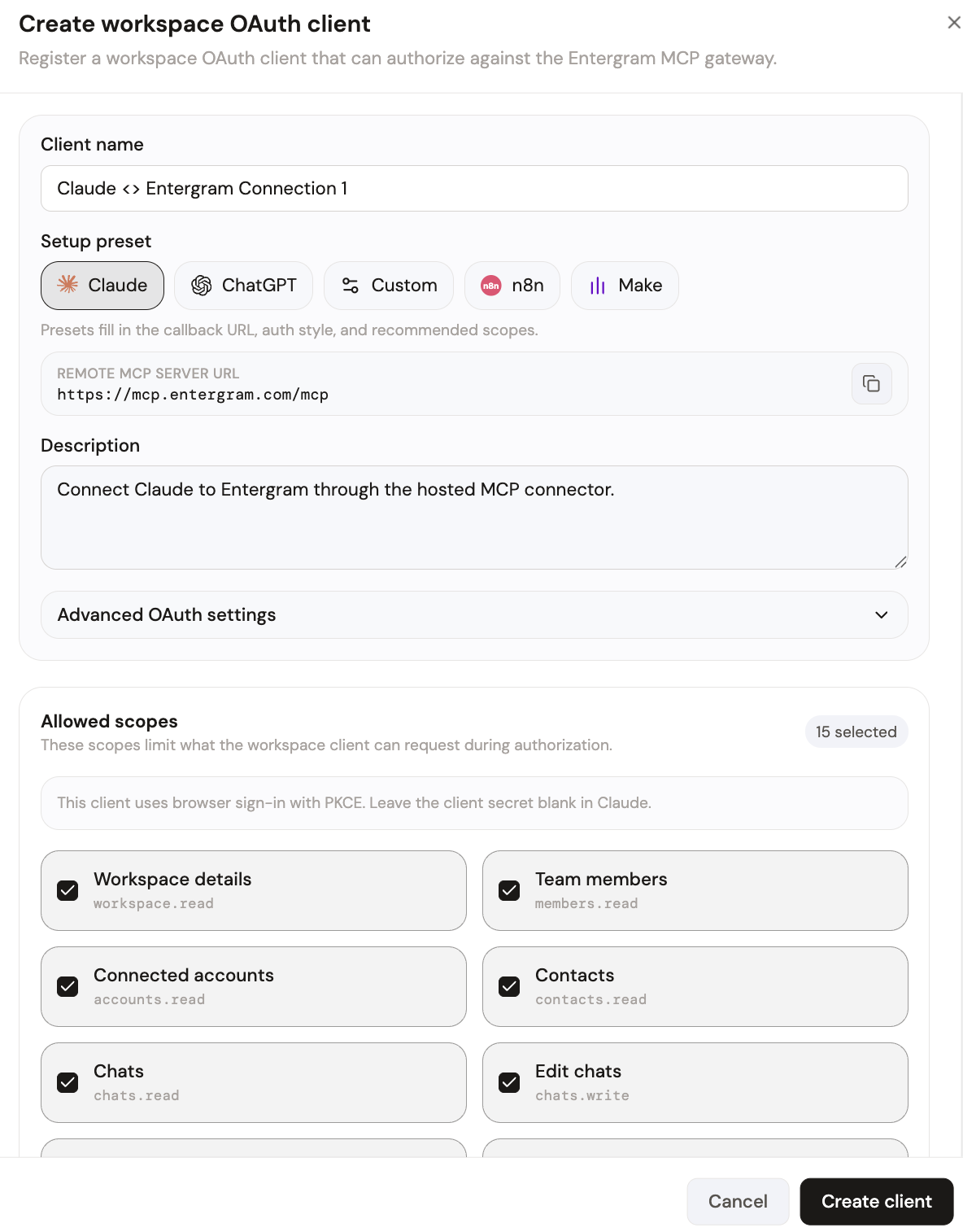
Your MCP server URL is:
Step 2 — Add the server in Windsurf
Open Windsurf's settings panel and find the MCP / Connections section (Windsurf also supports an mcp_config.json file). Add a new server pointing at the Entergram endpoint above and paste the credentials from your OAuth client. Windsurf enumerates the available tools as soon as it connects.
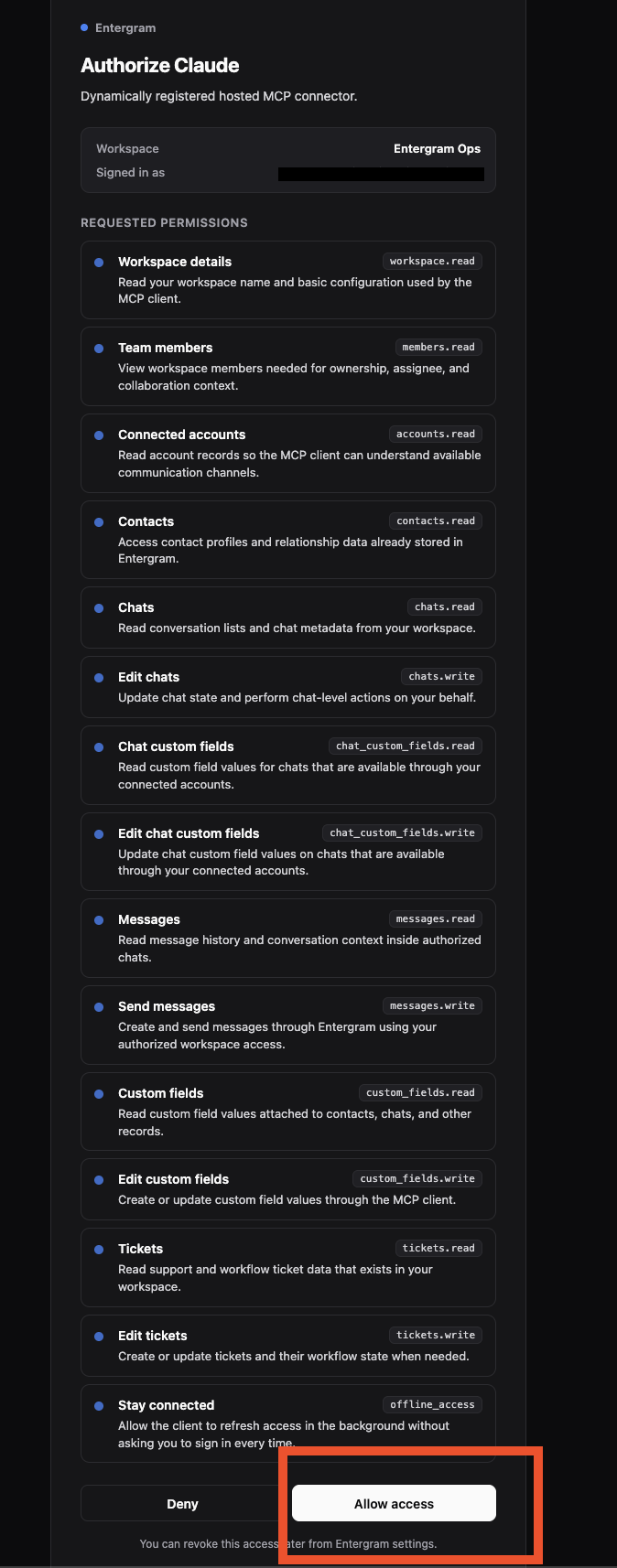
On first connect you'll be taken to Entergram's authorization screen, which lists the exact permissions being requested. Review them and click Allow access.
Reopen the Cascade panel and the Telegram tools are available. Your personal Telegram account is now reachable from inside Windsurf.
What you can do once connected
All the developer-support and technical-sales workflows that apply to any code editor apply here:
- Show me the recent Telegram messages from the user who filed this issue.
- Create a ticket from this chat, set it to high priority, and assign it to me.
- Draft and send a reply letting them know the fix is live.
- Which "trial" contacts went quiet after asking about pricing?
Windsurf calls the Entergram MCP endpoint, which runs each query against your workspace and writes back tickets, labels, or replies — grounded in your actual conversations.
Security and access control
MCP uses OAuth with granular scopes, so you control exactly what Windsurf can see and do. Read-only for an engineer's editor, full send permissions reserved for other clients. One OAuth client per user means revoking one person never breaks the team, and you can revoke anytime from Settings → Developer. Entergram never stores message content — chats are read live, only metadata is retained.
Get started
If your Entergram plan includes API access, the MCP connector is ready. Create your connection now, see every supported tool in the connect any AI hub, or follow the step-by-step MCP guide.
Ready to Upgrade Your Telegram Workflow?
Don't waste another lead. Don't lose another message.
Get Started