Product
How to Connect Zed to Telegram via MCP

Connect Zed to your Telegram via MCP
Zed is the high-performance, Rust-built code editor with a fast-growing AI assistant. It supports MCP through what it calls context servers, which means it can pull in external tools and data alongside your code. Entergram's Telegram MCP server connects your personal Telegram account (not a bot) as one of those context servers, so Zed's assistant can read your real chats, look up contacts, and open tickets without leaving the editor.
This guide is part of our connect any AI tool to Telegram MCP hub.
What the Telegram MCP server does
MCP is the open standard behind Zed's context servers. Entergram implements it at https://mcp.entergram.com/mcp, exposing your Telegram workspace as a set of callable tools: reading chats, looking up contacts, creating and updating tickets, editing custom fields, and sending messages or broadcasts. Once the context server is connected, Zed's assistant can use any of them.
How to connect Zed (3 steps)
Step 1 — Create an OAuth client in Entergram
In Entergram, open Settings → Developer, click Create new OAuth client, and choose the Custom preset. Pick read-only scopes for safe browsing, or add write scopes to let Zed send messages and create tickets.
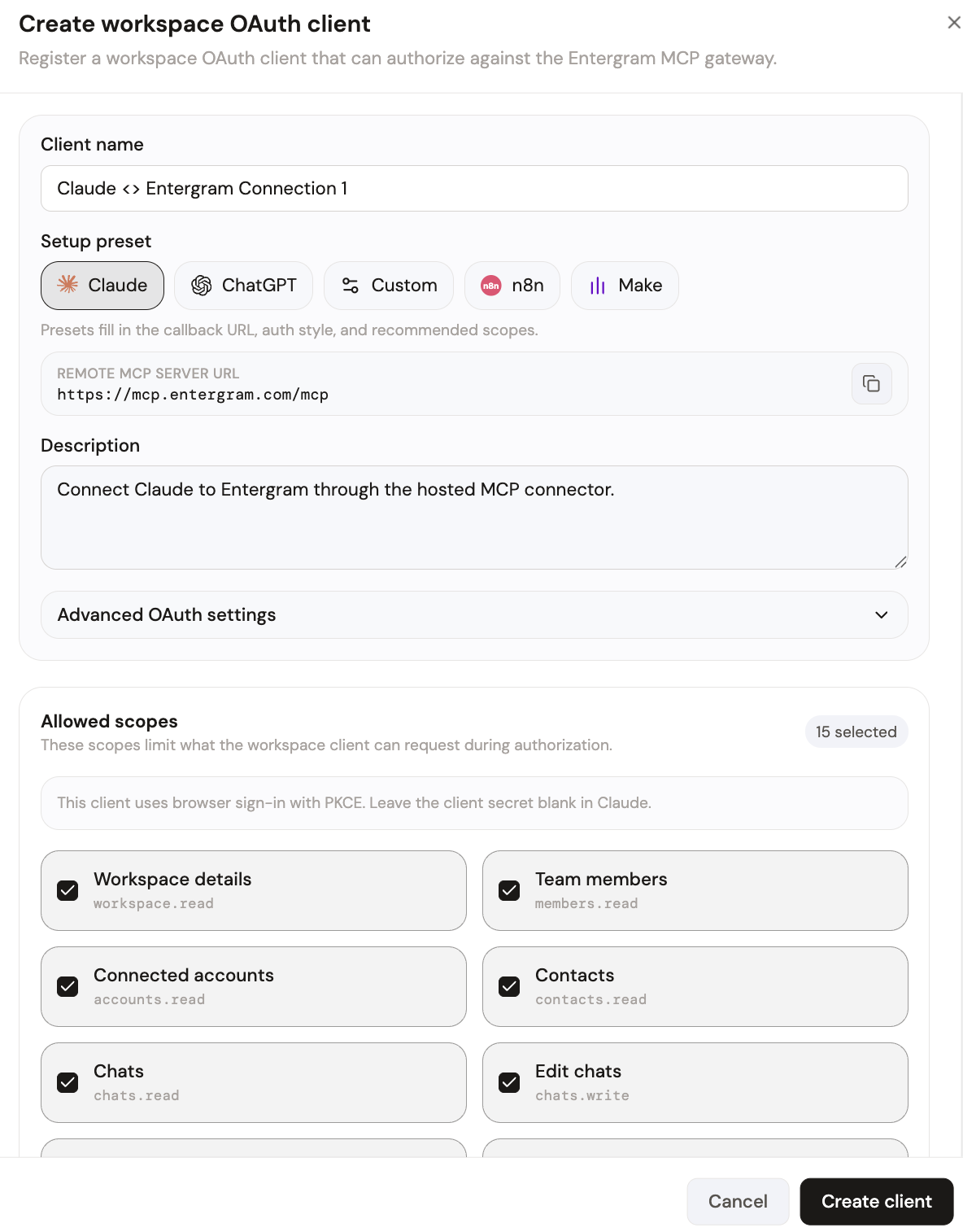
Your MCP server URL is:
Step 2 — Add Entergram as a context server in Zed
Open Zed's settings (settings.json) and add the Entergram endpoint under the context servers section, with the credentials from your OAuth client. Zed loads the available tools into the assistant panel once the context server connects.
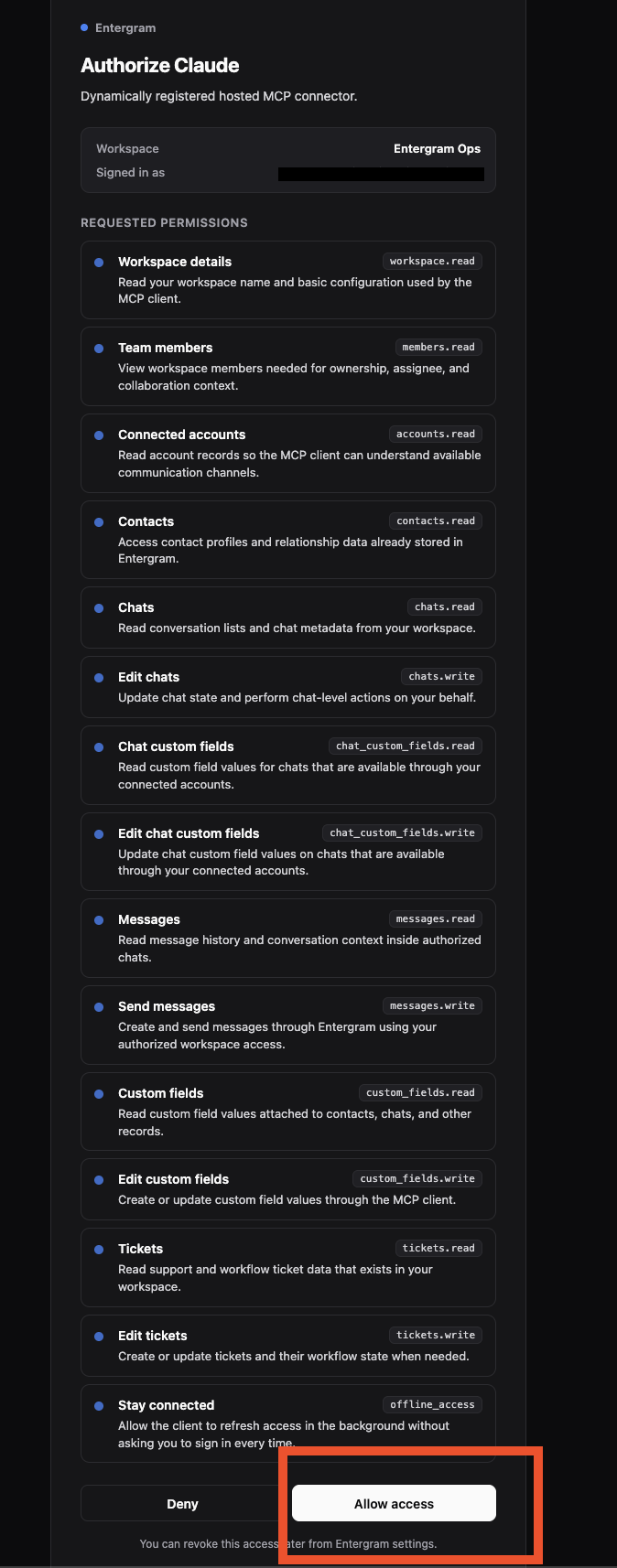
On first connect, review the requested permissions on Entergram's authorization screen and click Allow access.
The Telegram tools are now available to Zed's assistant.
What you can do once connected
Like other editors, Zed is most useful where customer context meets code:
- Show me the last few Telegram messages from the user who reported this crash.
- Open a ticket from this chat and assign it to me.
- Draft a reply that the patch is merged and send it from our support account.
- List API customers who haven't heard back in two days.
Each request is a real MCP tool call against your workspace, so the answers and actions reflect your actual Telegram data.
Security and access control
MCP uses OAuth with granular scopes — read-only for an engineer's editor, write access reserved where you want it. One OAuth client per user, revocable instantly from Settings → Developer. Entergram never stores message content; chats are read live and only metadata is retained.
Get started
If your Entergram plan includes API access, the MCP connector is ready. Create your connection now, browse every supported tool in the connect any AI hub, or read the step-by-step MCP guide.
Ready to Upgrade Your Telegram Workflow?
Don't waste another lead. Don't lose another message.
Get Started
How to Prevent Message Deletion on Telegram (and Lock Edits Too)
Jun 5, 2026
Best Telegram CRM in 2026 — What to Look For and Why It Matters
Jun 2, 2026
Connect Any AI Tool to Telegram — Claude, ChatGPT, Gemini, Cursor & More
Jun 2, 2026
How to Connect ChatGPT to Your Personal Telegram Account
Jun 2, 2026


