Product
How to Connect Perplexity to Telegram via MCP

Connect Perplexity to your Telegram via MCP
Perplexity is best known as an answer engine, and as it expands into connectors and agentic features, teams increasingly want it to reason over their own data — not just the public web. Entergram's Telegram MCP server connects your personal Telegram account (not a bot) so Perplexity can ground its answers in your real chats, contacts, and CRM fields through the Model Context Protocol.
This guide is part of our connect any AI tool to Telegram MCP hub. Perplexity's MCP and connector support is evolving quickly; the steps below follow the standard remote-MCP flow that works across MCP-compatible clients.
What the Telegram MCP server does
MCP is an open standard for connecting an AI tool to an external data and action server. Entergram exposes your Telegram workspace at https://mcp.entergram.com/mcp, where each action is available as a structured tool: reading chats, looking up contacts, updating fields, and sending messages. Perplexity reaches that same endpoint to ground its answers in your conversations.
How to connect (3 steps)
Step 1 — Create an OAuth client in Entergram
Open Settings → Developer in your Entergram workspace, click Create new OAuth client, and choose the Custom preset. For an answer-engine use case, read-only scopes are usually all you need — Perplexity is most valuable here for reading and summarizing, not sending.
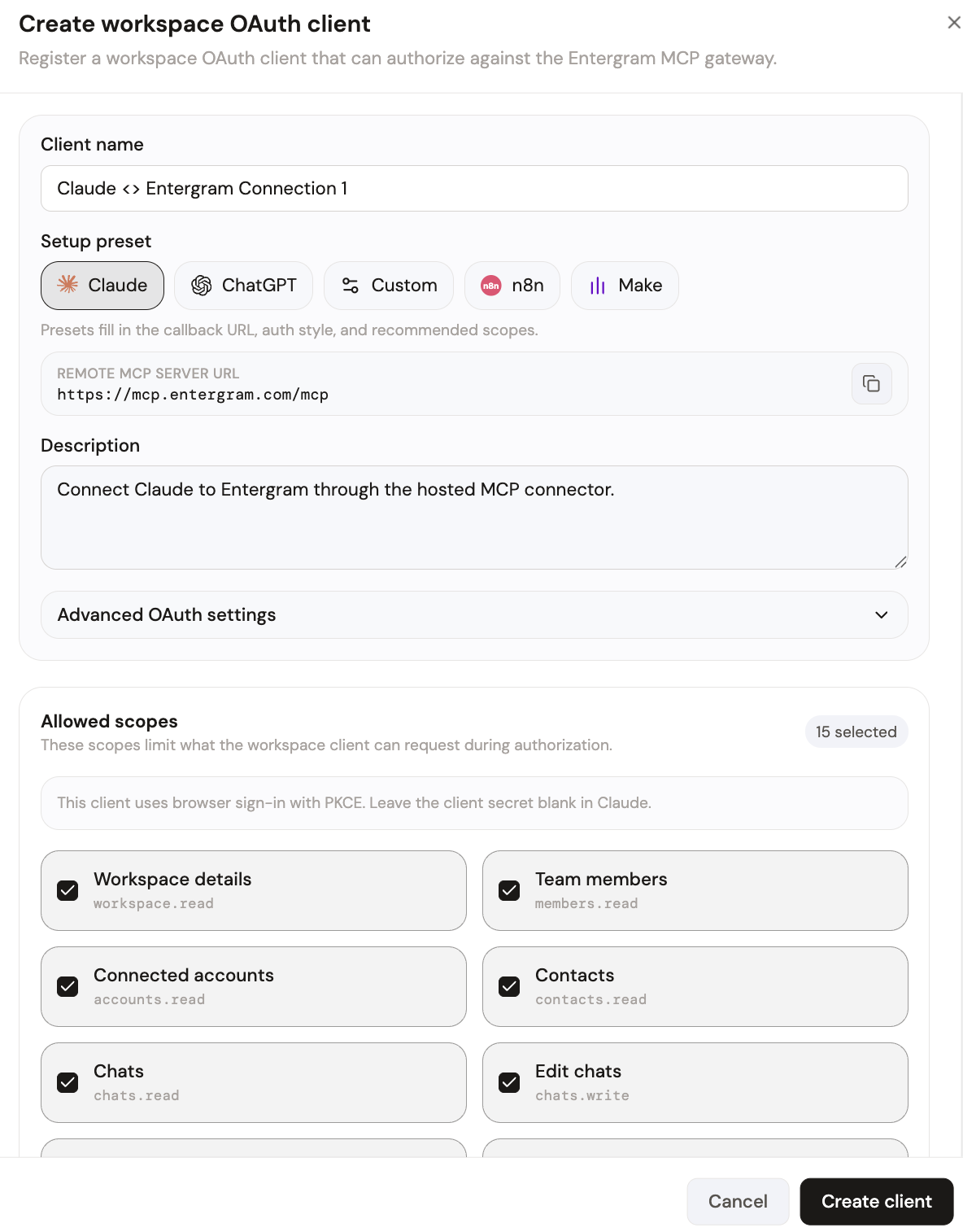
Your MCP server URL is:
Step 2 — Add Entergram as a connector
In Perplexity's connector / integration settings, add a custom MCP connector pointing at the Entergram endpoint above and authenticate with the credentials from your OAuth client. If you're using Perplexity through an MCP-capable desktop client, add the same server URL there.
On first connect, review the requested permissions on Entergram's authorization screen and click Allow access.
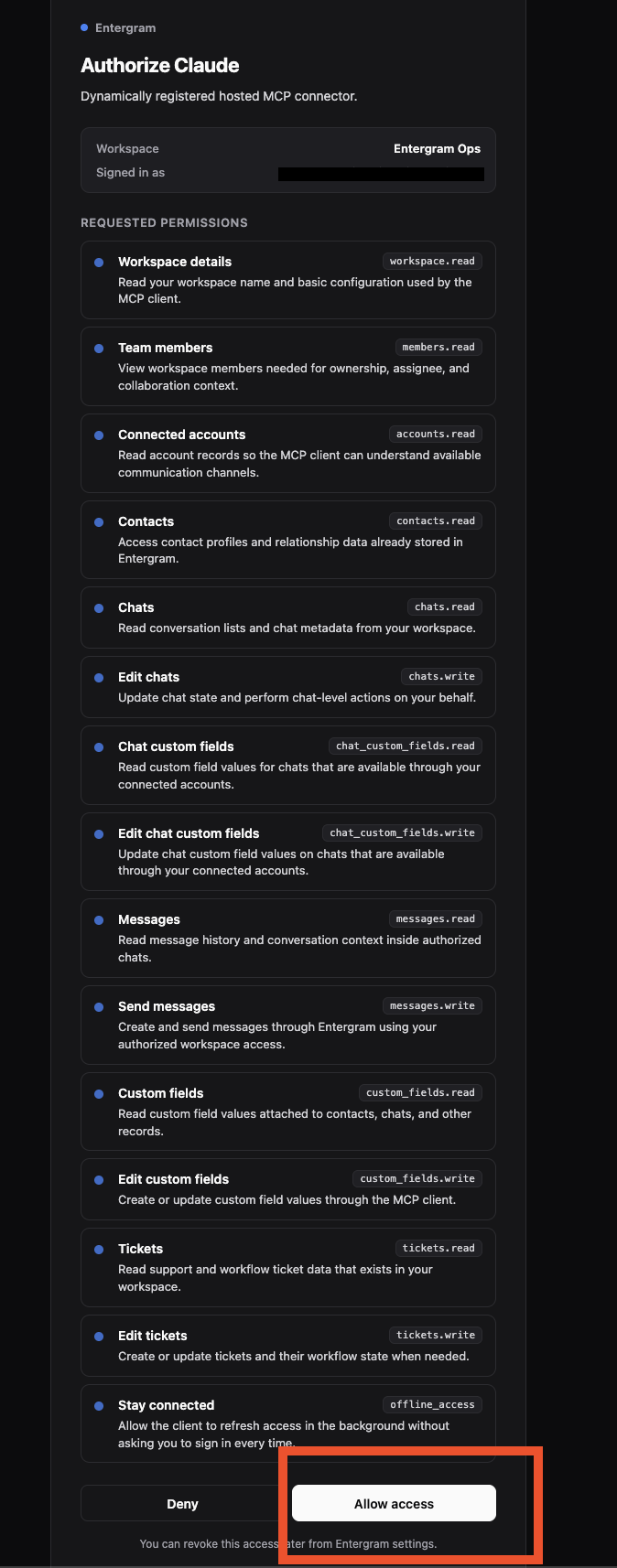
Perplexity can now query your Telegram workspace as a source.
What you can do once connected
Perplexity's strength is synthesis, so the best prompts ask it to read and reason over your conversations:
- Summarize everything my top 10 contacts discussed with me this month.
- Which chats show buying intent based on the last two weeks of messages?
- Compare what three different leads asked about our pricing and find the common objection.
- Draft a follow-up I could send to everyone who went quiet after a demo.
Answers are grounded in your actual Telegram data through the MCP endpoint rather than guessed from general knowledge.
Security and access control
MCP uses OAuth with granular scopes — for an answer engine, read-only access is a safe default. One OAuth client per user, revocable instantly from Settings → Developer. Entergram never stores your message content; chats are read live and only metadata is retained.
Get started
If your Entergram plan includes API access, the MCP connector is ready. Create your connection now, see every supported tool in the connect any AI hub, or follow the step-by-step MCP guide.
Ready to Upgrade Your Telegram Workflow?
Don't waste another lead. Don't lose another message.
Get Started