Product
How to Connect Cursor to Telegram via MCP

Connect Cursor to your Telegram via MCP
Cursor is the AI-first code editor a lot of engineering teams now live in. If your team also does technical sales, developer support, or API customer success on Telegram, you probably alt-tab out to a separate app every time a customer message needs context. Entergram's Telegram MCP server removes that context switch — it connects your personal Telegram account (not a bot) to Cursor through the Model Context Protocol, so the editor's AI can read your real chats, look up contacts, and open tickets without you ever leaving the file you're editing.
This guide is part of our wider connect any AI tool to Telegram MCP hub. The setup below takes about three minutes.
What the Telegram MCP server does
MCP is an open standard for letting an AI tool discover and call a server's actions without any custom integration code. Entergram runs one remote endpoint at https://mcp.entergram.com/mcp, and it turns each Telegram action into a callable tool: reading chats, looking up contacts, sending messages, creating tickets, updating custom fields, and broadcasting. When Cursor connects, it loads that whole set automatically.
How to connect Cursor (3 steps)
Step 1 — Create an OAuth client in Entergram
Open Settings → Developer in your Entergram workspace, click Create new OAuth client, and pick the Custom preset (or Claude — the scopes are the same). Choose the scopes you want Cursor to have: read-only chat access for safe browsing, or write scopes if you want Cursor to send messages and create tickets.
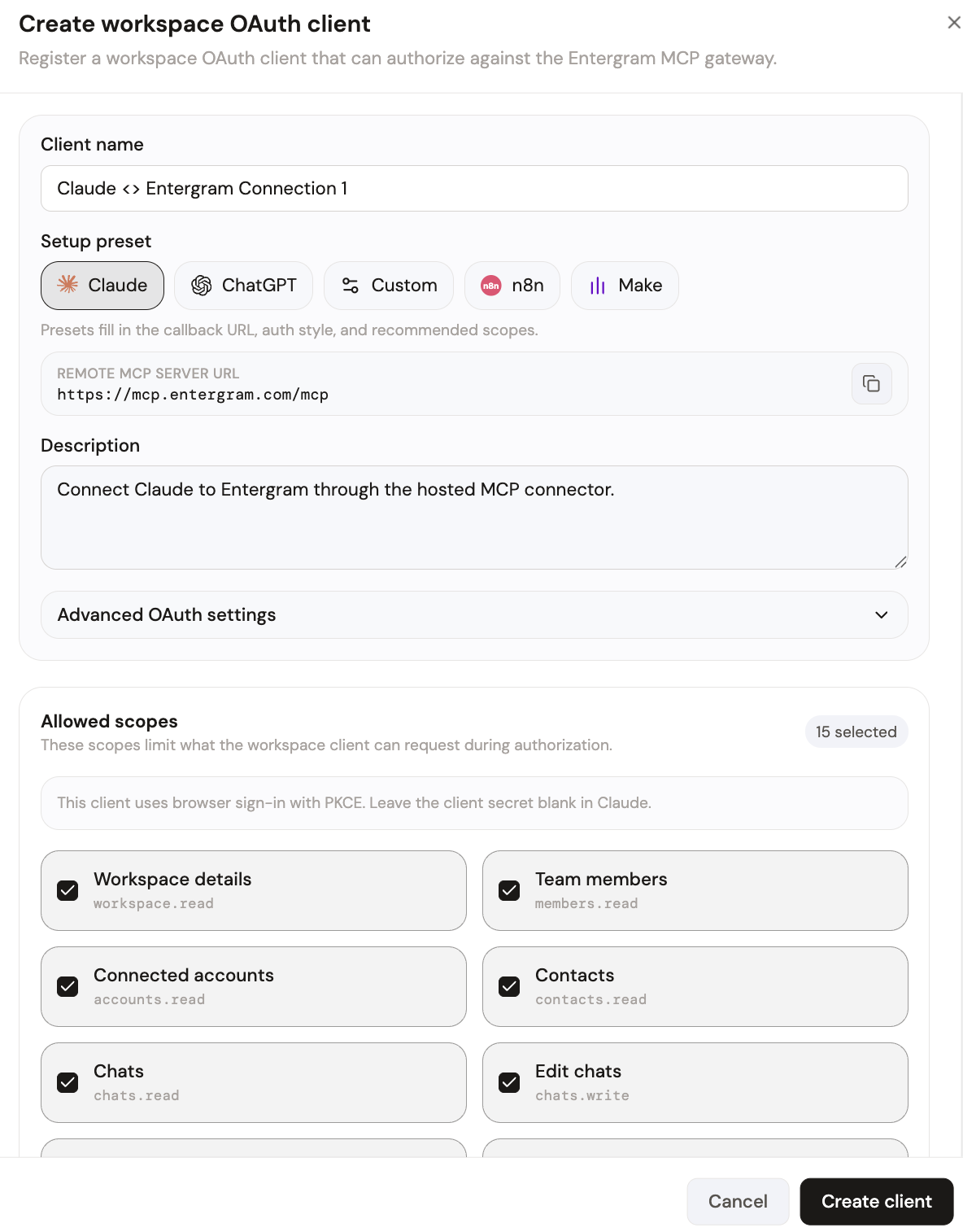
Your MCP server URL is:
Step 2 — Add the server in Cursor
Open Cursor's settings and go to the MCP section (Cursor also reads an mcp.json config file in your project or global config). Add a new server entry pointing at the Entergram endpoint above and paste the credentials from the OAuth client you just created. Cursor discovers the available tools automatically on connect.
The first time Cursor connects, you'll be sent to an Entergram authorization screen listing the exact permissions the client is requesting. Review them and click Allow access.
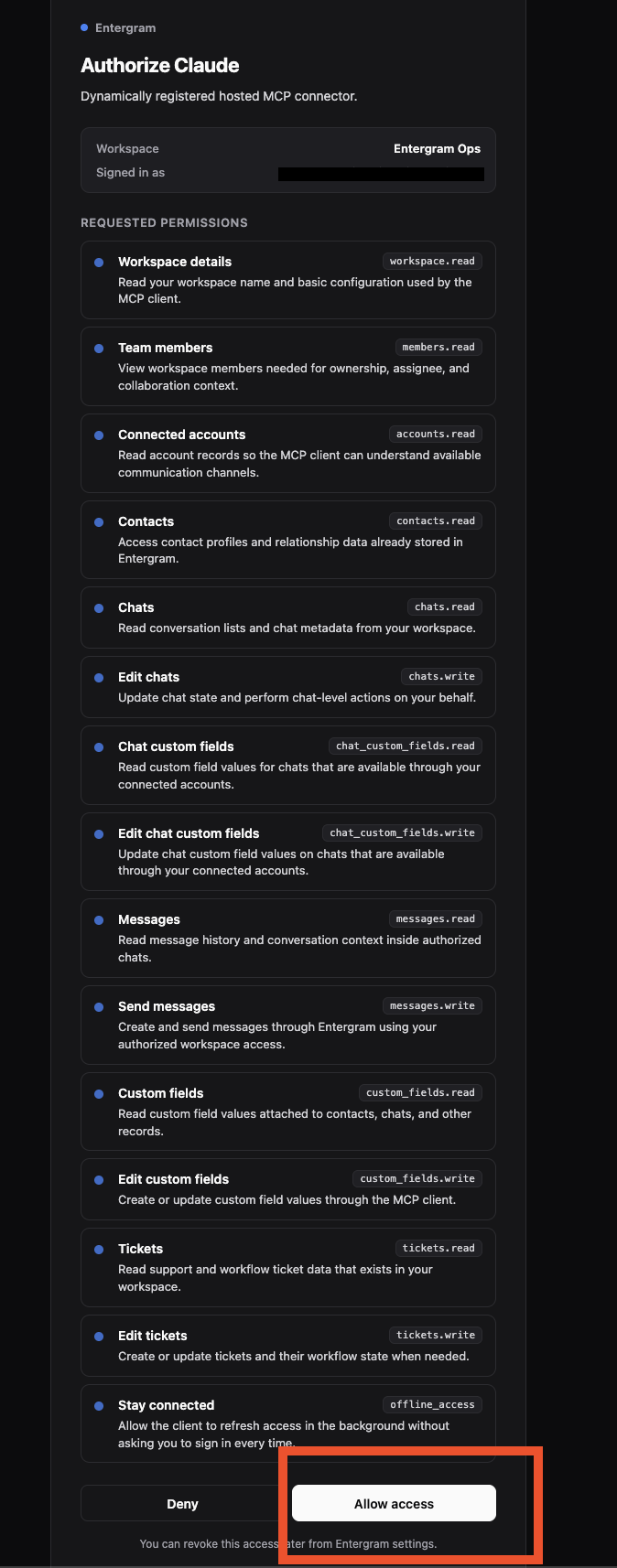
Restart the editor session and the Telegram tools appear in Cursor's AI panel. That's it — your personal Telegram account is now reachable from inside Cursor.
What you can do once connected
Because Cursor sits in your code, the highest-leverage workflows mix engineering and customer context:
- Pull the last 10 messages from the customer who reported this bug so I have the repro steps.
- Open a support ticket for this Telegram chat, set priority high, and assign it to me.
- Draft a reply explaining the fix is shipping today, and send it from our support account.
- List every chat tagged "API customer" that hasn't had a reply in 48 hours.
The AI calls Entergram's MCP endpoint, which runs the query against your workspace and writes back tickets, labels, or replies — grounded in your real data, never a generic guess.
Security and access control
MCP uses OAuth with granular scopes, so you decide exactly what Cursor can see and do. Give a developer's editor read-only chat access while reserving send permissions for other clients. Each user gets their own OAuth client, so revoking one person never breaks the team, and you can revoke access instantly from Settings → Developer at any time. Entergram never stores your message content — the AI reads chats live and only metadata is retained.
Get started
If you're on an Entergram plan with API access, the MCP connector is ready to use. Create your connection now, browse every supported tool in the connect any AI hub, or read the step-by-step MCP guide in the help center.
Ready to Upgrade Your Telegram Workflow?
Don't waste another lead. Don't lose another message.
Get Started