Product
How to Connect Cline to Telegram via MCP

Connect Cline to your Telegram via MCP
Cline is an open-source AI coding agent that runs inside VS Code and is popular with CLI-first developers who like to stay close to the terminal. Its strength is chained task execution — read a set of things, classify them, act on each, post a summary — all from one prompted session. Entergram's Telegram MCP server plugs your personal Telegram account (not a bot) into Cline through the Model Context Protocol, so those automated sequences can include real Telegram CRM operations.
This guide is part of our connect any AI tool to Telegram MCP hub.
What the Telegram MCP server does
MCP is the open standard Cline uses to load external tools into an agent run. Entergram publishes its Telegram actions at one endpoint, https://mcp.entergram.com/mcp: listing and reading chats, managing contacts and custom fields, creating tickets, and sending messages or broadcasts. Cline can chain any of these calls together inside a single automated sequence.
How to connect Cline (3 steps)
Step 1 — Create an OAuth client in Entergram
In your Entergram workspace, open Settings → Developer, click Create new OAuth client, and choose the Custom preset. Pick scopes deliberately — because Cline runs multi-step sequences autonomously, many teams start it read-only and add write scopes only once they trust the workflow.
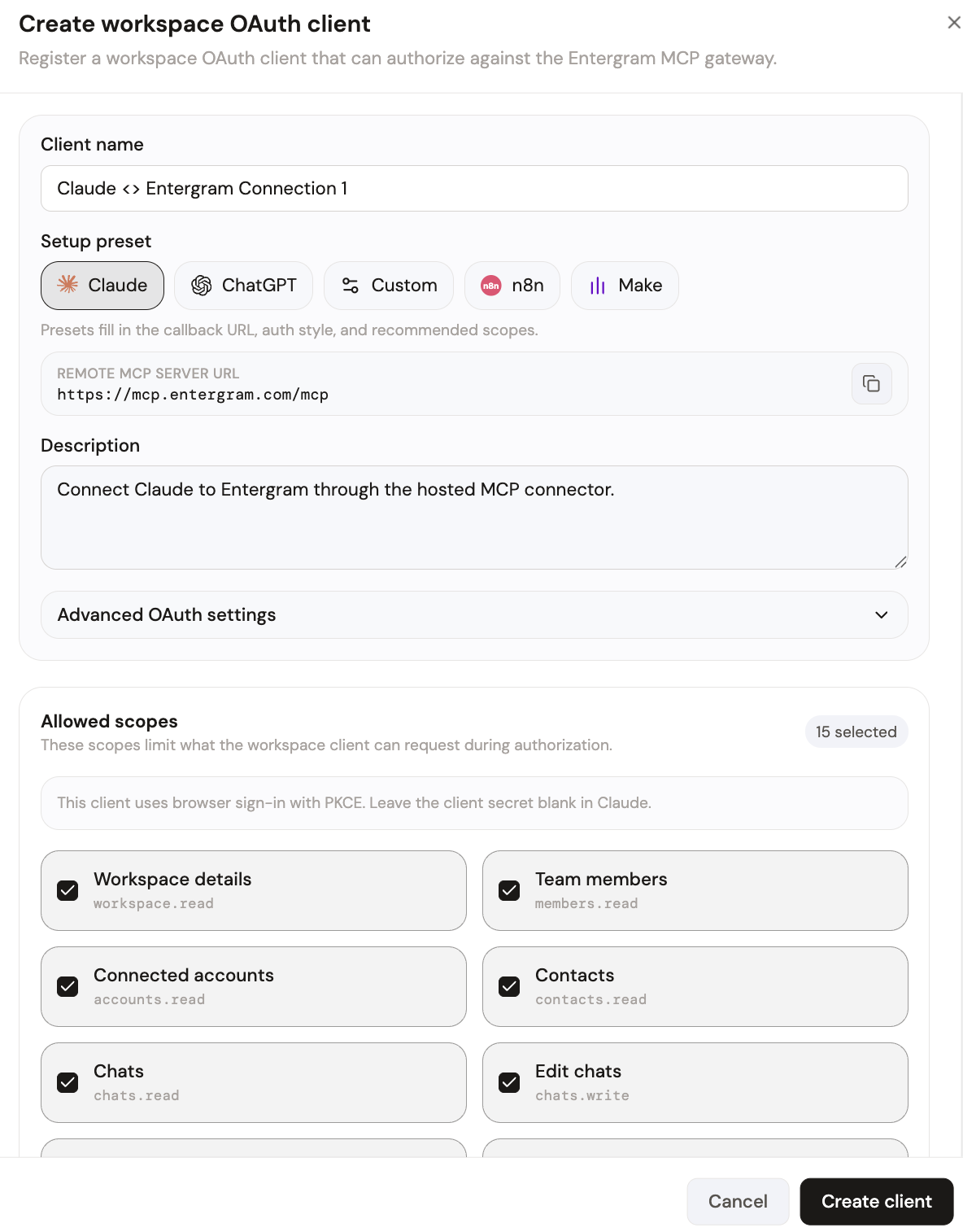
Your MCP server URL is:
Step 2 — Add the server to Cline's MCP config
Cline reads its MCP servers from a JSON config (its MCP Servers settings panel, or a cline_mcp_settings.json file). Add an entry for the Entergram endpoint above with the credentials from your OAuth client. The Telegram MCP Server page has the exact JSON snippet to drop in. Cline loads the tools on startup.
On first connect, approve the request on Entergram's authorization screen, which lists the exact permissions being granted. Click Allow access.
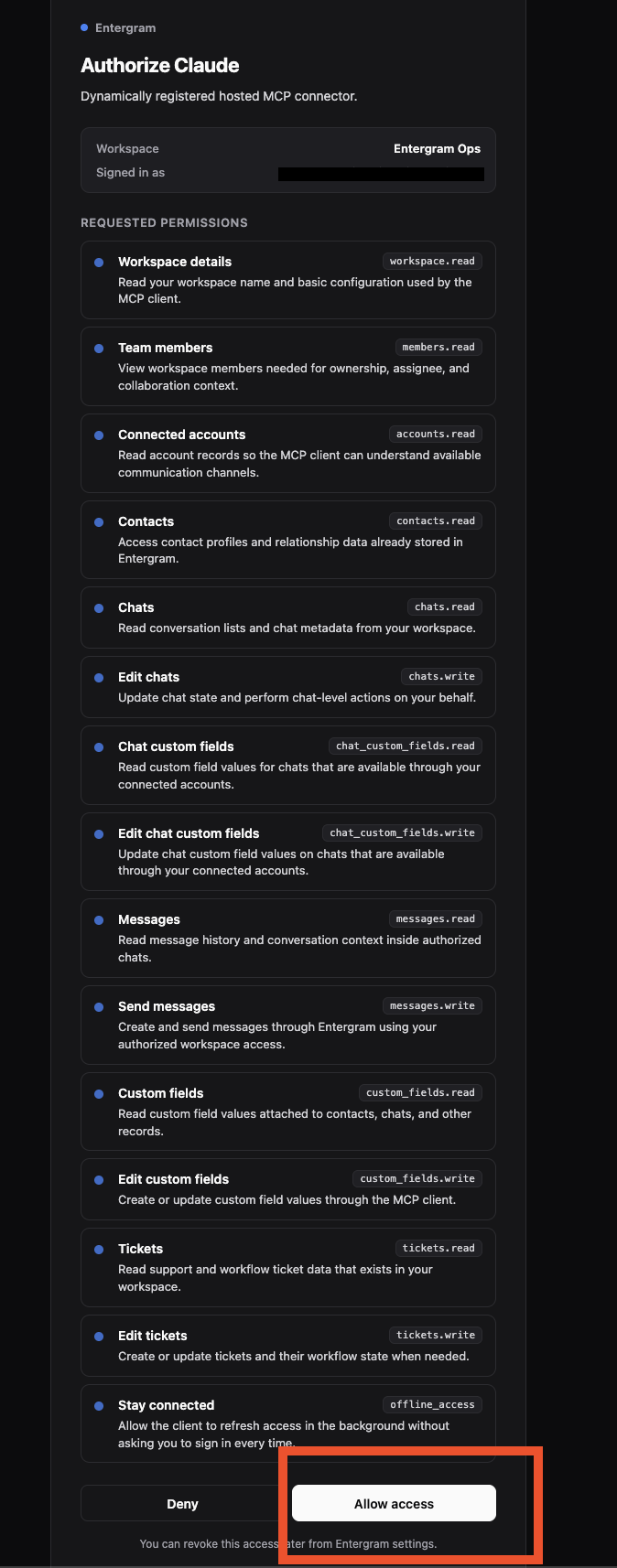
The Telegram tools are now available to Cline in every session.
What you can do once connected
Cline shines at chained, autonomous sequences. A single prompt can drive several Telegram CRM steps in order:
- Read every chat tagged "support" from the last 24 hours, classify each by urgency, create tickets for the urgent ones, and post a summary to our team channel.
- Find contacts who mentioned "refund", set their priority field to urgent, and draft a reply for each.
- Pull this week's response-time stats and write them to a markdown report in the repo.
Each step is a real MCP tool call against your workspace — Cline orchestrates them without you switching to a GUI.
Security and access control
OAuth scopes give you precise control over what an autonomous agent like Cline can do — which matters more for an agent that acts in sequences. Keep it read-only until a workflow is proven, then grant write scopes. One OAuth client per user, revocable instantly from Settings → Developer. Entergram never stores message content; only metadata is retained.
Get started
If your Entergram plan includes API access, the MCP connector is ready. Create your connection now, explore every supported tool in the connect any AI hub, or read the step-by-step MCP guide.
Ready to Upgrade Your Telegram Workflow?
Don't waste another lead. Don't lose another message.
Get Started