Flujo de trabajo masivo
Combina filtros con acciones rápidas: filtra para mostrar un segmento específico, selecciona todos los chats visibles y luego aplica una acción a todo el grupo de una sola vez.
Configura recordatorios basados en tiempo en cualquier chat para asegurarte de hacer seguimiento en el momento adecuado.
Cuando llega la hora programada:
Cuando seleccionas chats usando las casillas de verificación, la barra de acciones aparece en la parte inferior de la página con acciones rápidas.
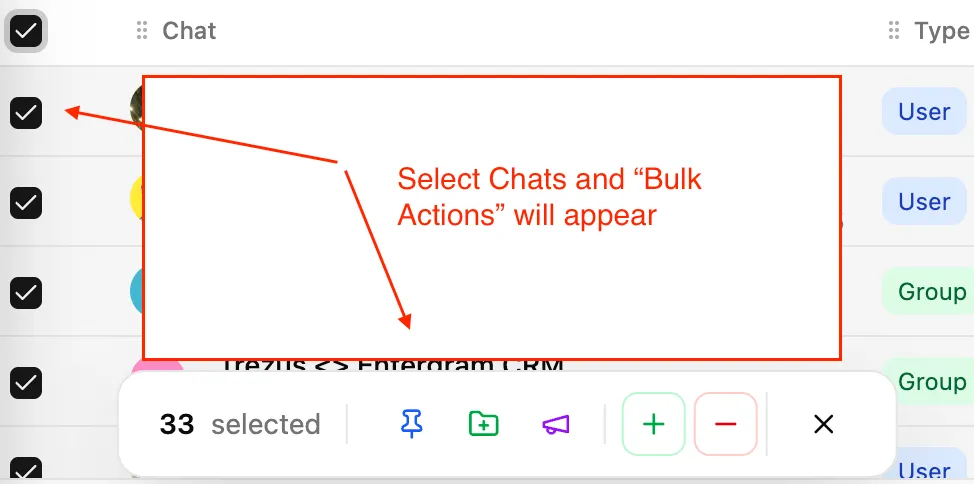
| Acción | Descripción |
|---|---|
| Fijar | Fija los chats seleccionados en la parte superior de tu tabla para acceso rápido |
| Añadir a carpeta | Mueve chats a una de tus carpetas de Telegram |
| Eliminar de carpeta | Elimina chats de una carpeta de Telegram |
| Añadir etiquetas | Aplica etiquetas a los chats seleccionados |
| Eliminar etiquetas | Elimina etiquetas de los chats seleccionados |
| Difusión | Envía un mensaje a todos los chats seleccionados |
Los chats fijados aparecen en la parte superior de tu tabla independientemente del orden de clasificación. Úsalo para:
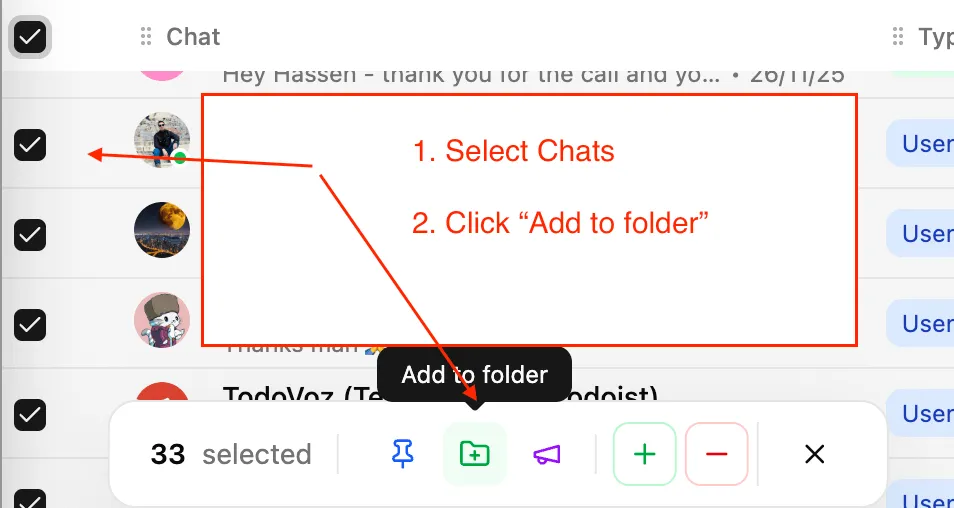
Añade o elimina chats de tus carpetas de Telegram existentes directamente desde Entergram:
Los cambios se sincronizan con tu cuenta de Telegram.
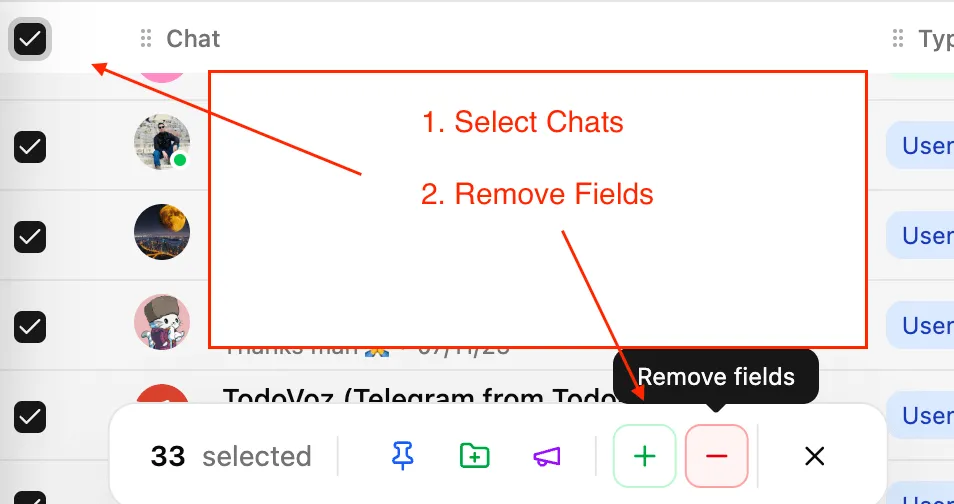
Aplica o elimina etiquetas de forma masiva:
Flujo de trabajo masivo
Combina filtros con acciones rápidas: filtra para mostrar un segmento específico, selecciona todos los chats visibles y luego aplica una acción a todo el grupo de una sola vez.